
Ski Resort Lost and Found Setup Before Opening
By the Traista team ·
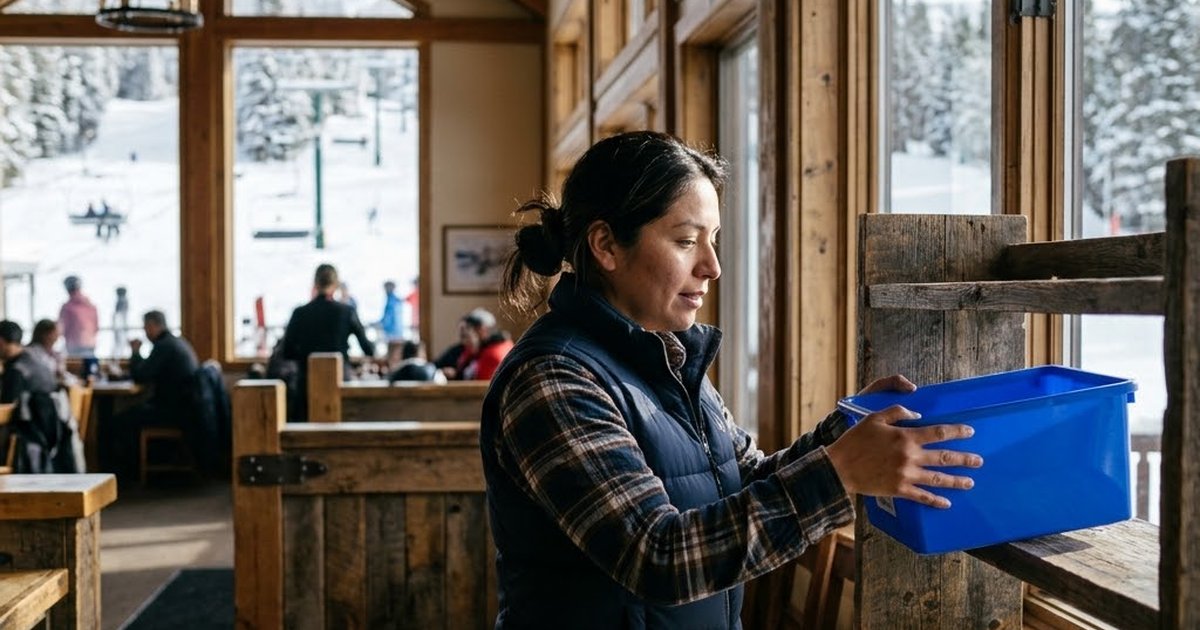
How should a ski resort set up lost and found before opening day?
Choose one intake routine and use it everywhere: every found item gets a photo, a location and a time, no matter whether it came from a lodge, the rental shop, a lift terminal or a locker bank. Name one person per location who owns what comes in, and give guests a claim link so they can report a loss from home. Do this before the first crowded weekend, because a busy base lodge is a poor place to invent a process.
Key takeaways
- Set up lost and found while the mountain is still quiet. Opening week is for using the system, not building it.
- Every location needs a drop point and a named owner, and all of them should log items the same way.
- Keep guest items and rental gear apart so a lost helmet is not confused with a rental helmet.
- Give guests a way to report a loss after they drive home, since most will not be at the lodge when they realize something is missing.
Where do items actually get lost at a ski resort?
Map it before you design anything. Walk the guest path from the parking lot to the last chair and note where things get set down or dropped:
- Lodges and restaurants: gloves on a table, a phone on a bench, a hat left in the boot room.
- Rentals: goggles, helmets and a jacket left on the return counter or in a fitting room.
- Lifts: phones and poles dropped from chairs, a pass or a glove found at a loading station.
- Lockers: wallets, keys and chargers left behind when the day ended in a hurry.
Each spot has different staff finding things at different times. That is why one shared routine matters more than one shared shelf.
Who should own lost and found at each location?
Pick a named owner for the lodge, rentals, lifts and lockers. Lift operators and ski patrol should not hold items at the top of the mountain all day. Give them a simple handoff: bag it, tag it, bring it to the base drop point at a set time each day.
At the base, decide who receives items, where they are stored and who can release them. A locked cabinet in the guest services office beats an open bin behind the rental counter. Write the handoff on one page and post it where staff will see it.
What should staff record for every found item?
Keep it to a few fields people will actually fill in with cold hands:
- A clear photo of the item.
- Where it was found: the chair, the locker number, the table in the lodge.
- The date and time it was turned in.
- A short description, such as a black glove with an orange cuff or a phone in a blue case.
- A tag on the item that matches the record, so it can be pulled up fast later.
Photos matter most. A guest describing "black goggles" is describing a hundred pairs, but a photo lets staff and guests confirm the right ones.
How do you get ready for the first crowded weeks?
Opening day and the holiday weeks bring guests who are new to the mountain, staff who are new to the job, and long days with little time for paperwork. A few steps help:
- Run a practice item through every location before opening, from found to tagged to stored to released.
- Put the claim link and a QR poster at the rental counter, lodge exits, lift ticket windows and locker areas.
- Brief seasonal hires on the routine in their first shift, not their second week.
- Decide in advance how you handle items that cannot be shipped, such as aerosols or medication, so staff are not guessing at the counter.
Thanksgiving week is a good reason to be ready early. Many guests are traveling, so more of them will realize something is missing after they have left.
What about guests who have already gone home?
This is where most ski resort lost and found falls apart. A guest remembers the jacket two states away, calls the front desk, and the desk has no list to check. Give them a claim link instead. They describe the item, say where and when they lost it, and get a claim number. Staff can search the photo inventory and reply in one place, rather than playing phone tag.
Paper log, spreadsheet or software: how do they compare?
| Point | Paper log | Spreadsheet | Lost and found software |
|---|---|---|---|
| Photos of items | Rarely | Hard to attach and find | Built into each record |
| Matching a claim to an item | Staff read down the page | Staff search by keyword | Ranked likely matches for staff to confirm |
| Shared across lodges and rentals | One book, one place | Possible, but easy to overwrite | One system, each location with its own team |
| Guest updates | Phone calls | Manual emails | Status emails sent automatically |
| Shipping home | Handled by hand | Handled by hand | Label created and printed from the record |
| Custody record | Handwritten notes | Whatever someone typed | Recorded from intake to handoff |
How this works in Traista
A ski resort spreads lost items across lodges, rentals, lifts and lockers, and the guests who lost them are often hours away by the time they notice. You don't need to manage all of that by hand. Traista has you covered. All your team needs to do is:
- Log found item, add a photo, use Write Description with AI, and print the QR item tag.
- Share the branded claim link and QR poster at the lodge, rentals, lifts and lockers. Guests need no app or account.
- Confirm the Likely Match in the claims list, or use Search Inventory.
- Choose the package size and click Send request.
- Print the prepaid label from the portal, pack the item and hand it to the carrier. For pickup, record a pickup note, and the guest's signature if required.
Traista emails the guest, takes return-shipping payment through Stripe, buys the label, updates status from carrier tracking and keeps a chain-of-custody record. Staff make every match and release decision. AI only drafts descriptions and suggests matches. Each location has its own team and dashboard under one organization account, so the rental shop sees its items and an admin sees everything.
Common questions
Do we need a different process for each location?
No. Use one routine everywhere and let each location run it with its own team. The consistency is what makes items easy to find later.
What if a guest wants to pick up in person?
Where your organization allows pickup, the guest can choose it. Staff record a pickup note and can require a signature on a tablet or phone.
Can everything be shipped home?
Phones, laptops, tablets, jewelry and other valuables can usually ship when the carrier allows it. Aerosols, flammables, loose batteries, alcohol, medication, firearms and hazardous items generally can't.
What does it cost the resort?
Traista is free for organizations. The only cost is an optional return-shipping fee, which the guest pays when an item is shipped back.
If the free, ready-to-use product is too simple for your resort's needs, custom integrated solutions are available: send an RFI or RFQ to proposals@traista.com.
Traista is free lost and found software that helps ski resorts log found items, match them to guest claims and get them home. See how Traista works for ski resorts.