
Ski Resort Lost and Found: Gloves to Phones
By the Traista team ·
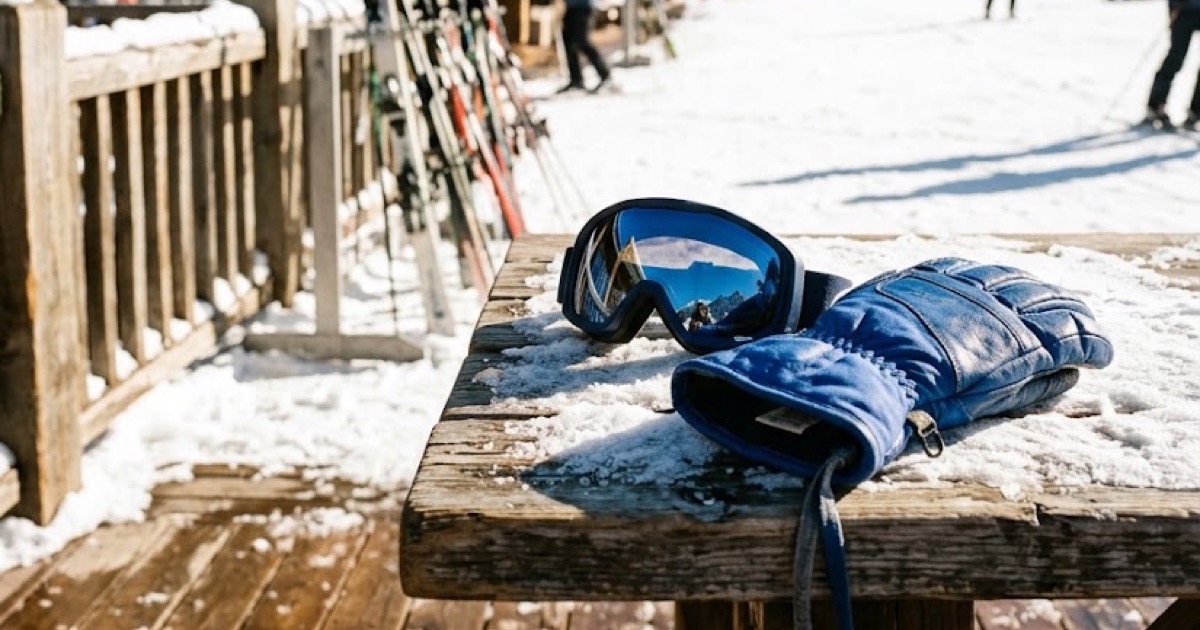
How should a ski resort handle gloves, goggles and phones left at the lodge?
Collect everything at the end of each day into one lost and found per base area, photograph each item at intake, and keep pairs together in the same photo. Record the lodge, rack or lift where it turned up. Give guests one online claim link so they can report a loss from the parking lot or from home, then match claims to logged items and offer shipping, because most skiers have left the mountain by the time they notice.
Key takeaways
- Photograph gloves and mittens as a pair. A single glove is hard to match on its own.
- Record the exact spot: which lodge, boot room, ski rack, lift line or rental counter.
- Charge or power-check phones before logging them, so the guest's lock screen can help confirm ownership.
- Offer shipping. A weekend visitor will not drive back two hours for a pair of goggles.
Why is a ski resort different?
Ski lost and found is full of near-identical items. On a busy Saturday you can collect a dozen black gloves, several helmets and a stack of neck gaiters that all look the same. Items also turn up across a wide area: the base lodge, a summit restaurant, the rental shop, lift mazes and parking shuttles. Staff are often seasonal and rotate between roles, so the process has to be simple enough to learn on the first day.
A daily routine that works
- Sweep at close. Lift operators, lodge staff and the rental shop drop items at one point per base area before they clock out.
- Log with a photo. Staff photograph each item, and AI fills in the description in seconds. Keep pairs and sets (gloves, poles, goggles with case) together.
- Note where it was found. Lodge, rack number, lift or shuttle stop. That detail is often what separates two identical jackets.
- Separate valuables. Phones, wallets, keys and season passes go on a locked shelf with a stricter handoff.
- Tag and shelve. Each item gets a tag so staff can find it fast when a claim matches.
How do skiers report a loss?
Put one branded claim link on the trail map, the resort app or website, lodge signs and the rental counter. It works on a phone, with no app to download. The guest describes the item, where they skied that day and the date, and gets a claim number to track progress.
How does matching work with so many similar items?
AI helps match found items to claims by comparing the description, location and date, and staff make the final call. Ask claimants for a detail only the owner would know, such as a name written inside a helmet, a sticker on goggles or a phone's lock screen, before releasing an item.
Getting items home
When a match is confirmed, the guest chooses pickup or shipping. With shipping, the guest pays the return-shipping fee and staff print a prepaid label, so nobody at the front desk handles card details. Guests can track their returned item until it arrives.
How this works in Traista
By the end of a busy day you have a pile of similar gloves, helmets and goggles from several lodges, and most of their owners are already driving home. You don't need to manage all of that by hand. Traista has you covered. All your team needs to do is:
- Log the item. At close, tap Log found item for each item, photograph pairs together, note the lodge or rack, and use Write Description with AI to fill in the description. Check it, save, and print the QR item tag before it goes in the bin for that base area.
- Share the claim link. Put your branded claim link and QR poster on the trail map, lodge signs and QR posters at the rental counter. The skier files a claim on their phone, with no app and no account.
- Review the match. When a claim comes in, the claims list shows a Likely Match if Traista found one. Compare the photo with the claim and confirm it. If there's no suggestion, use Search Inventory to look through the ranked list.
- Send the request. Choose the package size and click Send request.
- Pack and hand over. When the prepaid label is ready, print it from the portal, pack the item and give it to the carrier. If the skier comes back to the lodge, mark it picked up with a pickup note recording who collected it, plus a signature if your resort requires one.
Traista handles the rest: it emails the skier that the item was found, takes the return-shipping payment through Stripe, buys the label, updates the status from carrier tracking until delivery, and keeps a chain-of-custody record for every item. Staff make every match and release decision; the AI only drafts descriptions and suggests matches.
Common questions
What about items nobody claims by the end of the season?
Set a holding period and handle unclaimed items under your own policy. A searchable photo record makes it easy to see what is still waiting before you clear the shelf.
Do we need separate systems for each lodge?
No. Each base area can have its own team and view under one organization account, and admins can see all of them.
What does it cost the resort?
Traista is free for the organization. The only cost is the optional return-shipping fee, which the guest pays when an item is shipped back.
Traista gives ski resorts one free place to log found items, match them to guest claims and ship them home, and you can see how it fits mountain operations on the ski resort lost and found page.