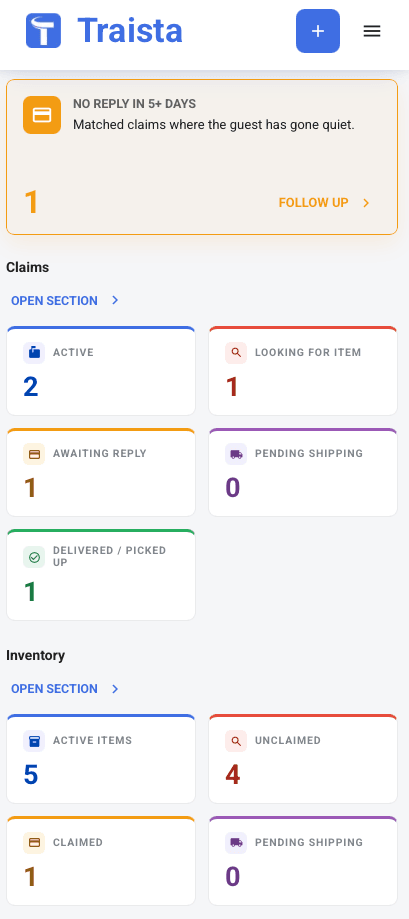
portal.traista.com/dashboard
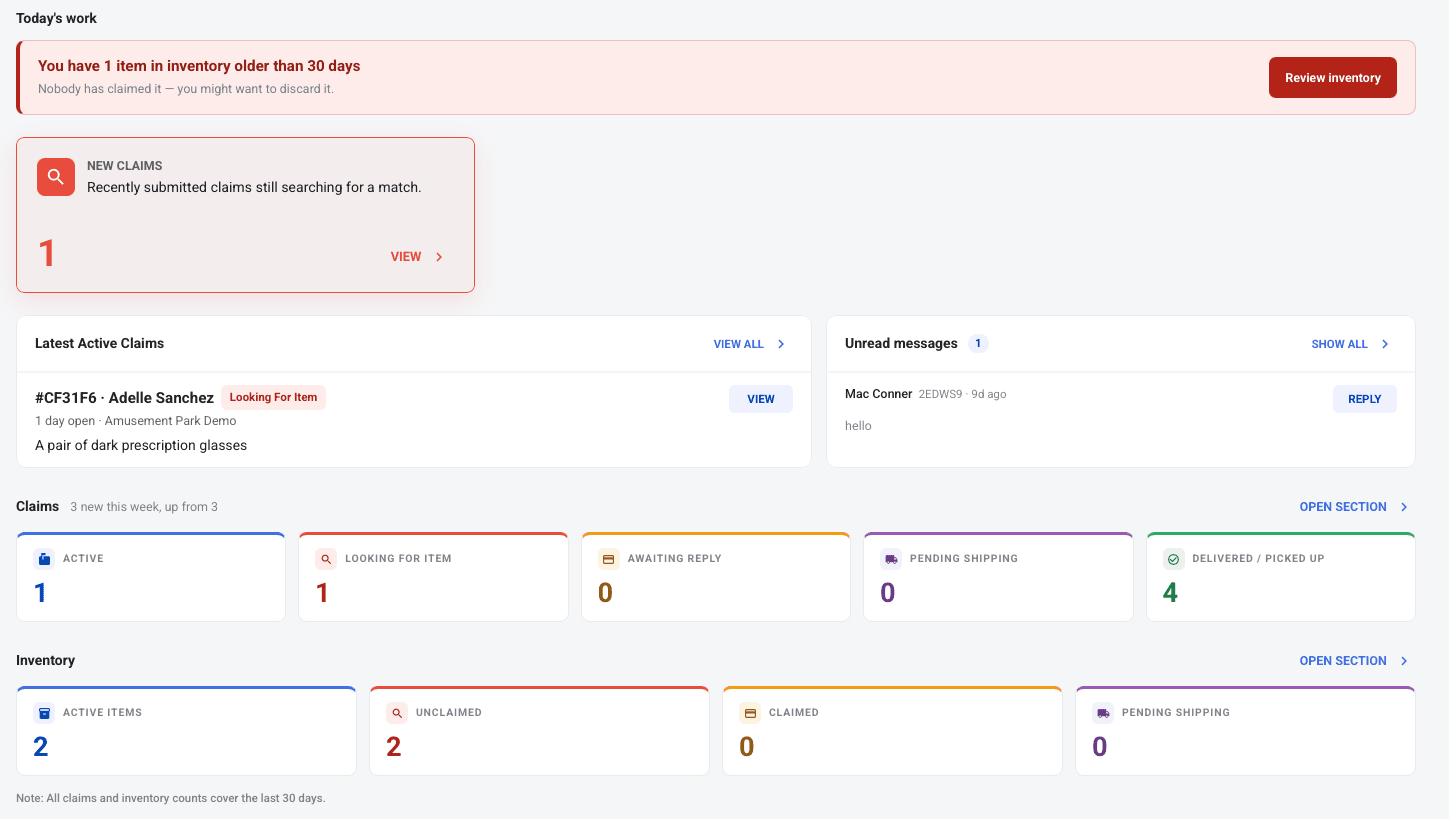
Designed to work with airports, TSA, and other transportation hubs
Newark (EWR)
Chicago Midway (MDW)
Phoenix (PHX)
O'Hare (ORD)
LaGuardia (LGA)
New Orleans (MSY)
Houston (IAH)
A simple claim form for travelers — and a powerful inventory tool for your airport staff.
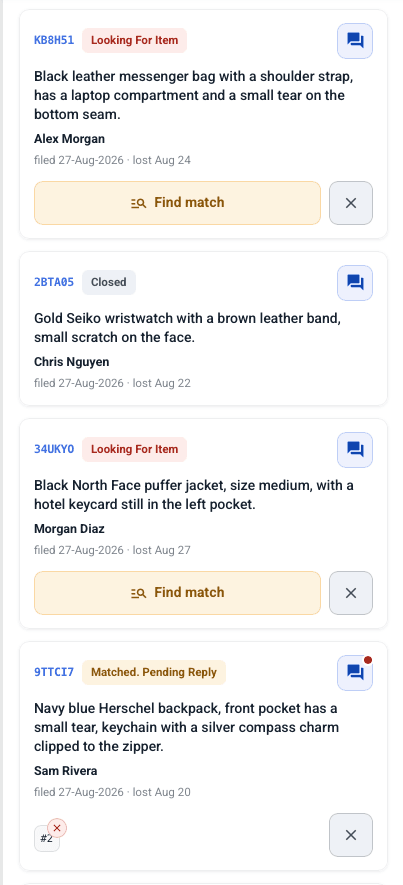
Staff Claims View
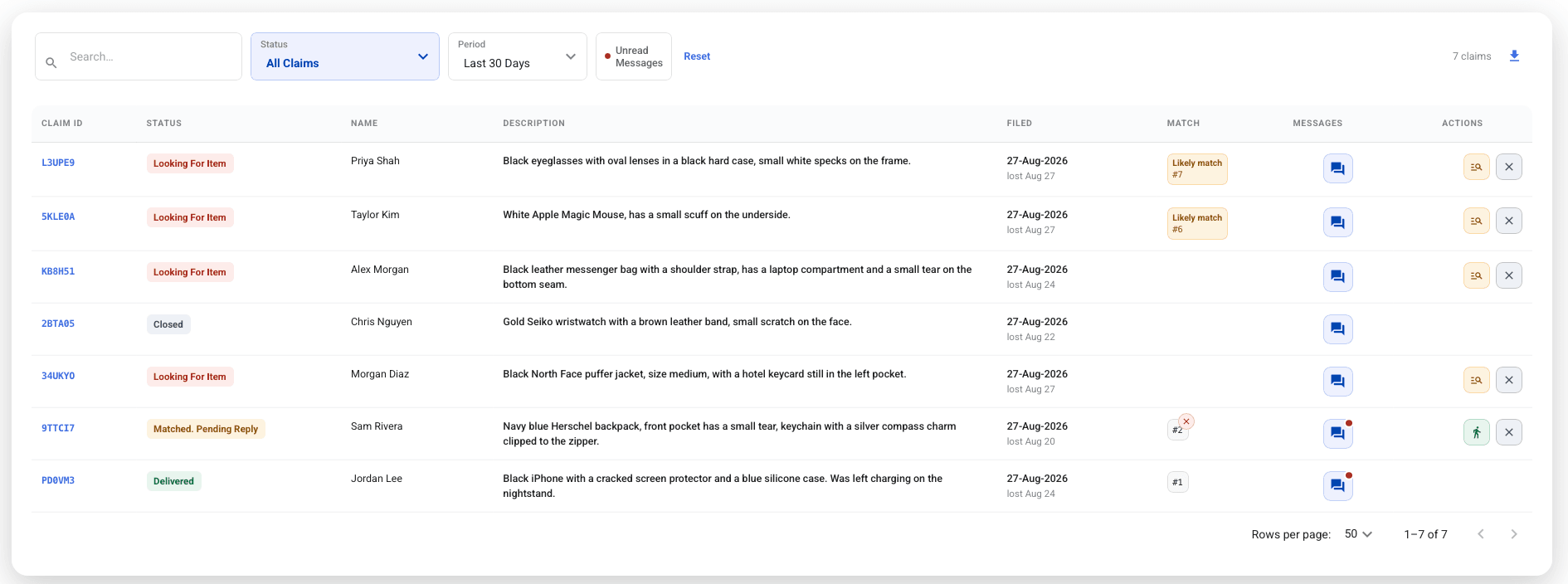
Staff review and manage all incoming claims from one dashboard
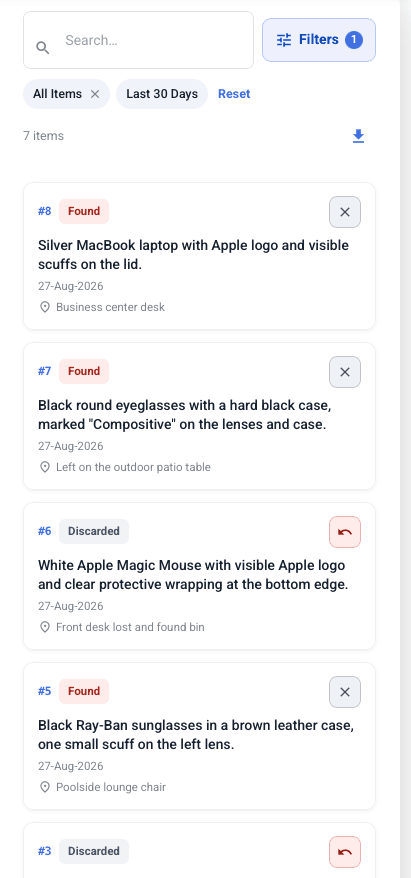
Staff Inventory View
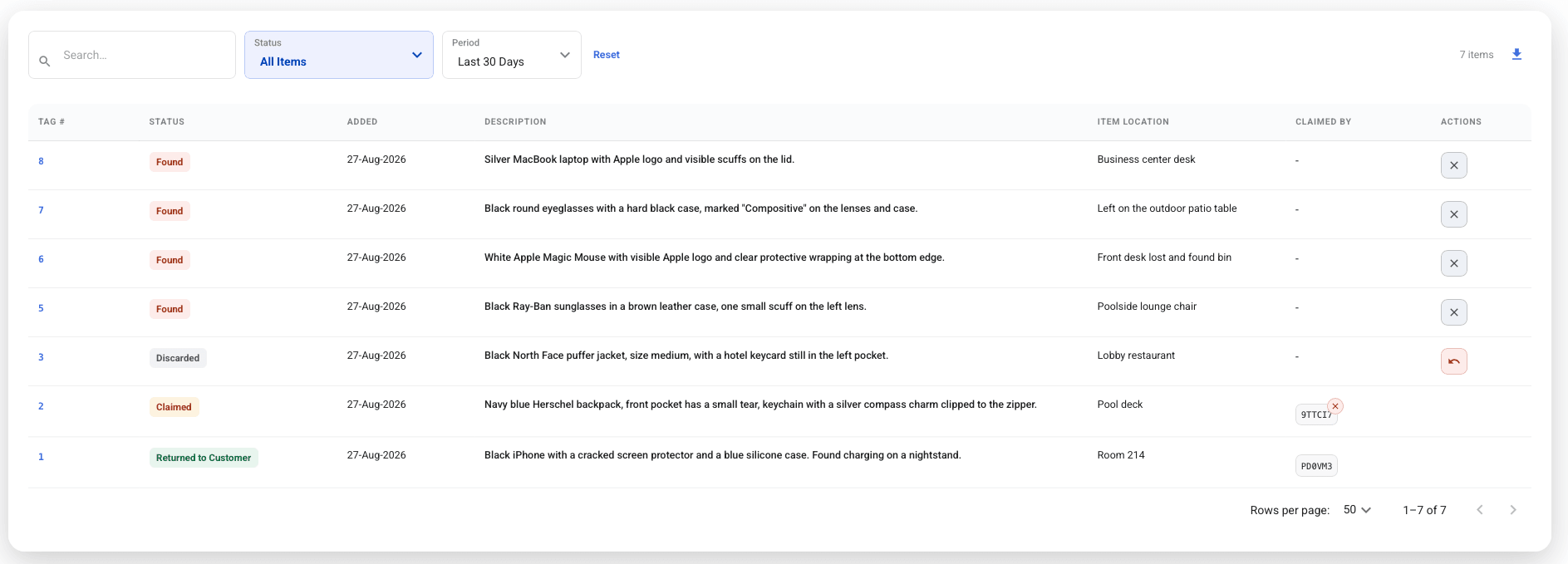
Staff log found items with photos, and AI can autofill details in seconds
These are the challenges airports face every day — and exactly what Traista solves.
Travelers leave laptops, phones, and wallets at security checkpoints every day. Without a digital system, staff are overwhelmed, storage overflows, and items go unclaimed for months.
Passengers who missed a flight trying to recover a lost item — or never got it back — leave scathing reviews. A poor lost & found experience directly impacts your airport's reputation.
Lost & found staff field dozens of inbound calls every shift from travelers asking about missing items. Traista automates claim intake and status updates so staff can focus on operational priorities.
Traista is purpose-built for high-traffic environments where thousands of items are processed every month.
Completely free for your airport
No setup fees, no subscriptions, no contracts
Travelers only pay for shipping — you pay nothing
Travelers file claims in under a minute from any device
Staff are notified instantly when a match is confirmed
Real-time status updates keep travelers informed throughout
Timestamped digital chain of custody for every item
Printable chain-of-custody report covering each item's entire life, from intake to return
Photos, descriptions, and staff notes on every entry
Auditable records built for operational accountability
Up and running in minutes. No training required.
A traveler visits your airport's branded link and submits a claim with the item description, location, and date from any device in under a minute. Works at the gate, on the plane, or after landing.
TSA agents or terminal staff photograph and log found items into the digital inventory, and image recognition can help autofill the item description and location details. No paper forms, no shared spreadsheets — everything in one dashboard.
Staff review open claims alongside the inventory and confirm when a found item matches a traveler's claim. The system surfaces relevant matches using the item description, location, and date to make reviews fast.
The traveler pays for their preferred shipping option directly through the platform. Staff print the pre-paid label in one click and ship — case closed, record complete.
Airports typically use a digital lost and found system that logs found items with photos and locations, matches them to passenger claims, and handles return shipping. Traista does this for free: passengers file claims online from anywhere, AI suggests matches by description, location, and date, every item gets a QR-coded inventory tag, and each item has a printable chain-of-custody report.
Ship the item. With Traista, the matched passenger is notified, chooses shipping, and pays for it in a secure checkout (card payments are handled by Stripe). Your staff print a prepaid FedEx, UPS, or USPS label in one click and attach it to the package. Staff never handle card numbers, and the passenger tracks the shipment.
Yes. Traista is completely free for airports and TSA operations. There are no setup fees, monthly subscriptions, or contracts. Travelers only pay for shipping if they choose to have their item shipped back to them.
TSA staff photograph and log items left at security checkpoints into the digital inventory. Image recognition can help autofill inventory item descriptions, and Traista then surfaces likely matches using the item description, location, and date for staff to review and confirm. The traveler is notified immediately and can arrange shipping or pickup.
Yes. Travelers can file a claim from anywhere using your airport's branded link — even after they have left the terminal or landed at their destination. The claim is matched to found items as they are logged.
Yes. Every item logged in Traista has a timestamped digital record including photos, descriptions, staff notes, and a full chain of custody. Traista generates a printable chain-of-custody report covering the item's entire life - from intake at the checkpoint through AI matching and claim verification to final return or shipment - giving TSA an auditable record that supports compliance and accountability.


